

WhatsApp is rolling out one of its most important privacy features yet—usernames. This update allows users to connect with others without sharing their phone numbers, giving more control over personal information and reducing privacy concerns.
With over 3 billion users worldwide, WhatsApp has always relied on phone numbers as the primary identity. However, with this new feature, users can now create a unique username (like @Name123) and use it to chat securely.
In this blog, we’ll explore how WhatsApp usernames work, their benefits, and how you can create or reserve your own username step-by-step.

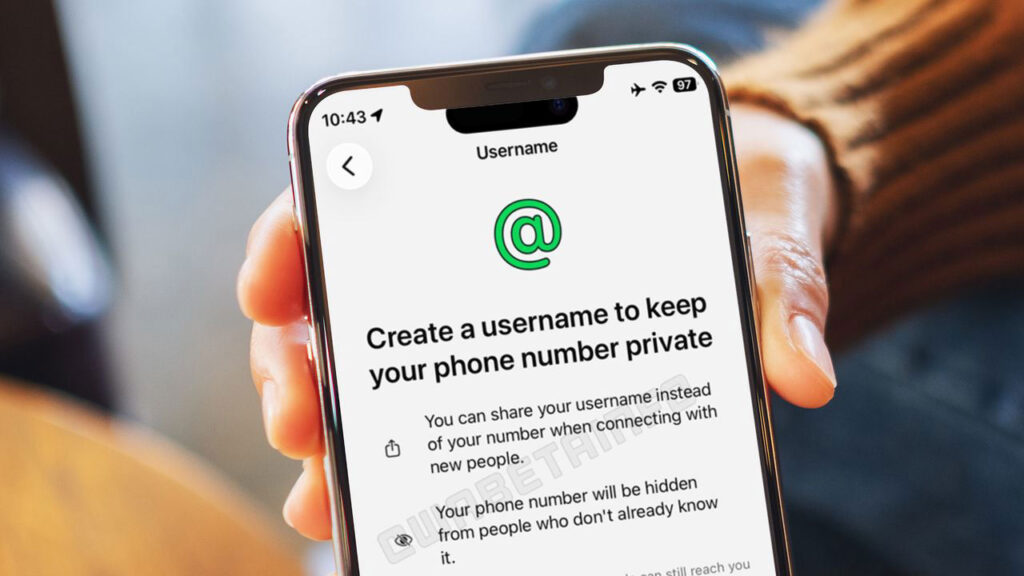
What Is WhatsApp Username Feature?
The WhatsApp username feature allows users to:
- Communicate without revealing their phone number
- Use a unique identity (username) instead of a mobile number
- Control who can contact them
This feature is specifically designed to enhance user privacy, especially when interacting with unknown people, online contacts, or business connections.
Key Benefits of WhatsApp Usernames
1. Enhanced Privacy
You no longer have to share your personal phone number with everyone. Instead, you can simply provide your username.
2. Better Control
Only people who know your exact username can contact you, reducing unwanted messages.
3. Ideal for Professional Use
Perfect for:
- Freelancers
- Online sellers
- Business communication
- Community groups
4. Flexibility
You can:
- Change your username anytime
- Remove it if not needed
- Continue using phone number-based chats
⚙️ How to Create or Reserve Your WhatsApp Username
⚠️ Note: This feature is rolling out gradually, so it may not be available on your device yet.
Follow these simple steps:
📱 Steps to Create/Reserve Username
- Open WhatsApp
- Tap More (three vertical dots)
- Go to Settings
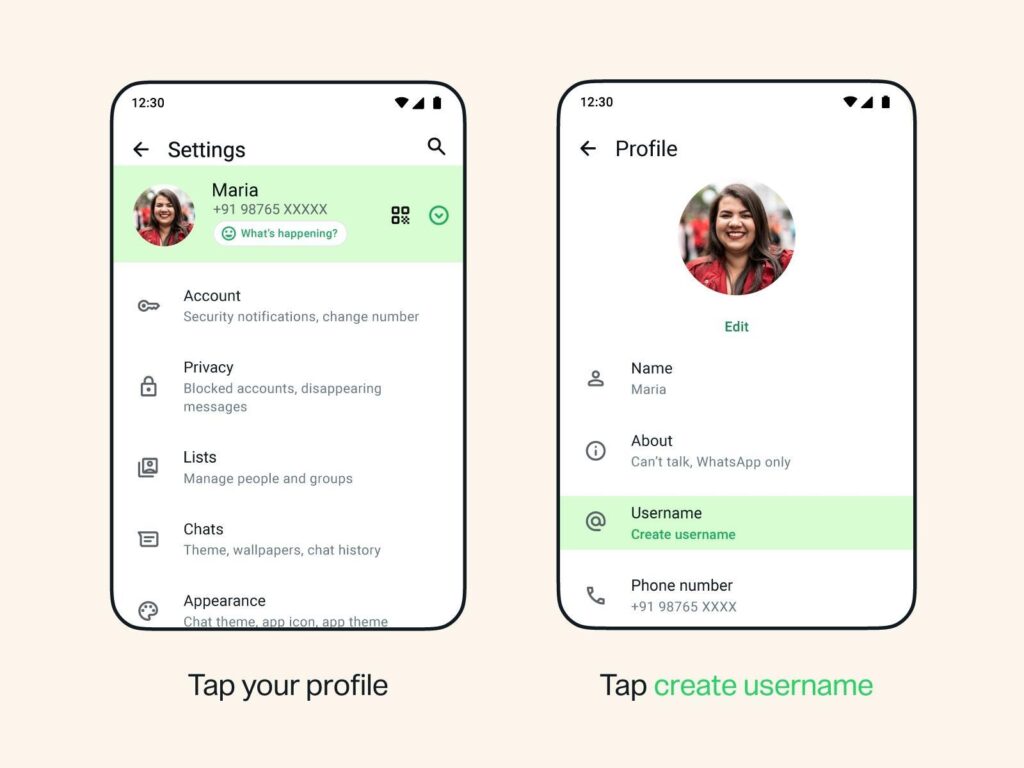
- Tap on your Profile
- Tap:
- Create username (if available), OR
- Reserve username (if still rolling out)
- Enter your desired username (e.g., @Name123)
- If available → ✅ You’ll get a confirmation
- If not available → Try suggestions provided
- Tap Save > Done

⏳ What Happens If You Reserve a Username?
- Your username will be secured for you
- It will become active once the feature is fully launched in your region
- You will receive a notification from WhatsApp when it’s ready to use
🔍 Important Rules for Usernames
- Must be unique
- Example format: @YourName123
- Availability depends on other users
- Suggestions will be shown if your chosen name is already taken
🔒 Privacy & Security Highlights
- No public directory of usernames
- No auto-suggestions for finding users
- People must know your exact username to contact you
- Your phone number stays hidden (if username is used)
📅 When Will This Feature Be Available?
WhatsApp is rolling out this feature gradually over the next few months.
- You can reserve your username now (in supported regions)
- Full availability is expected later in 2026
👉 Make sure your WhatsApp app is updated to get this feature as soon as possible.